Hotel / Accommodation
Ordinate provides tools to manage attendee accommodation efficiently, helping administrators track hotel requirements and bookings. Here’s an overview of the features available to set up and manage accommodation details.
Collecting Attendee Accommodation Requests
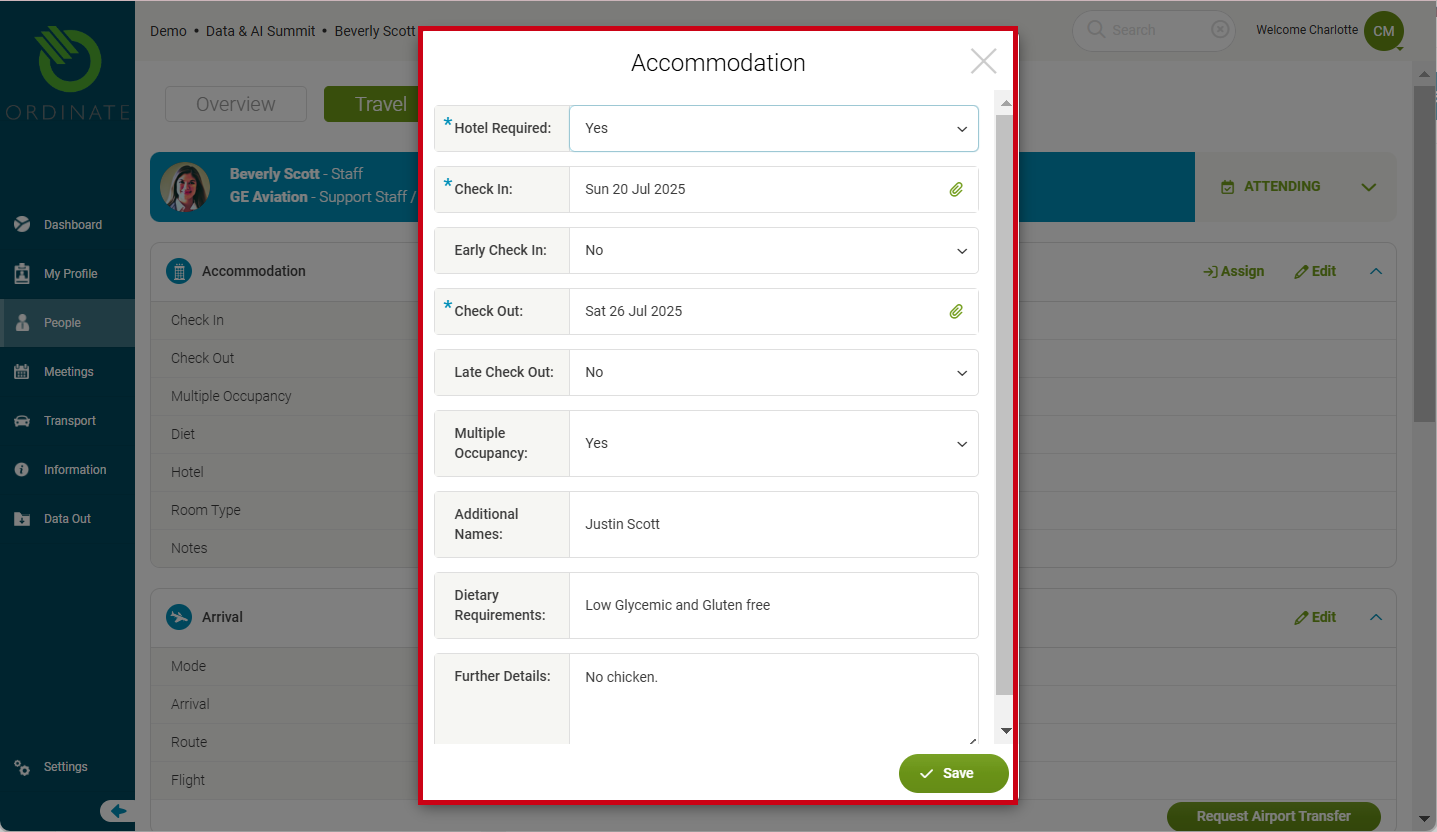
In the Travel Tab of a person’s profile, administrators can view and manage hotel information. Attendees can submit:
- Check-in/Check-out dates
- Requests for early check-in or late check-out
- Indication of multiple occupancy (e.g., sharing a room)
Administrators can edit these details to reflect changes or additional information. For instance, if a guest requires special arrangements like dietary requirements at the hotel, these can be noted directly.
(Screenshot placeholder: Attendee accommodation form)
Assigning a Hotel and Room Type
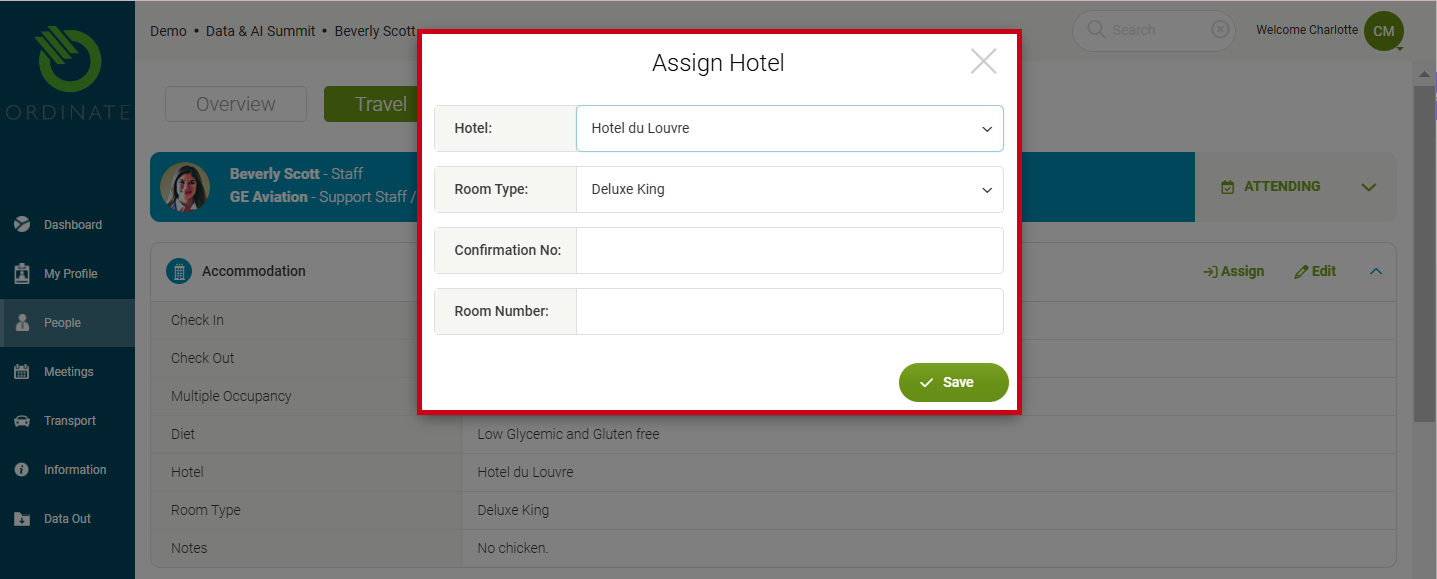
To assign a hotel and room type, administrators can click Assign on the Travel tab. This opens a form where you can:
- Select the Hotel from a pre-configured list.
- Choose the Room Type (e.g., Deluxe Single, Suite).
- Enter the Booking Confirmation Number and optionally the Room Number.
The hotel and room type selection helps match attendees with the appropriate accommodations based on their requests and event needs.
(Screenshot placeholder: Assigning a hotel)
Configuring Hotels and Room Types
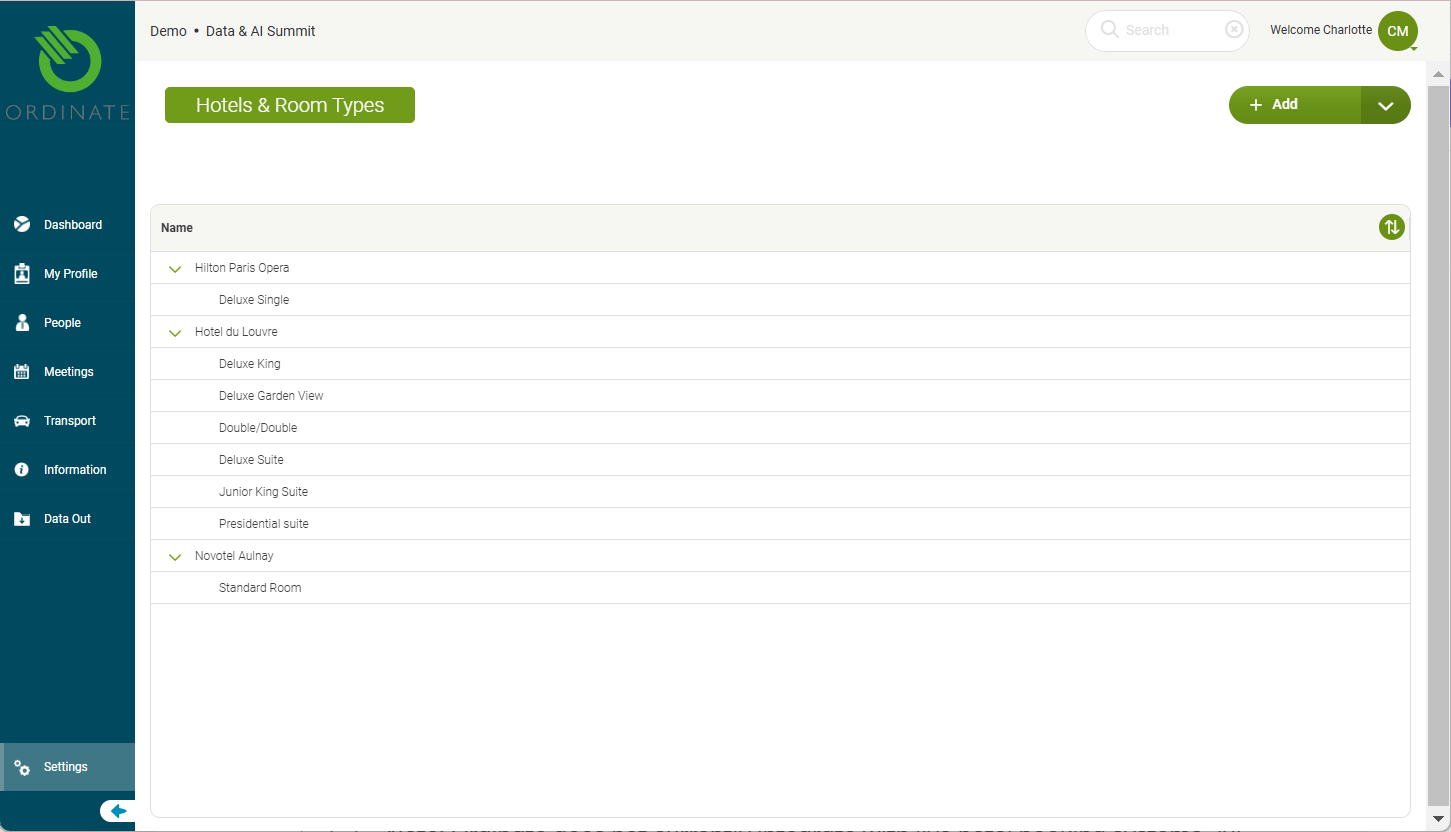
Administrators can configure hotels and room types under Settings > This Event > Hotels. You can:
- Add new hotels with details such as name, address, check-in/check-out times, and contact information.
- Define different Room Types for each hotel, including the capacity, rate, and whether breakfast is included.
This setup ensures that accurate accommodation options are available during the assignment process.
(Screenshot placeholder: Hotel/Room type configuration)
Info
Note: Ordinate does not currently integrate with live hotel booking systems. All assignments are done manually through the admin interface.
Notifications for Attendees
You can configure notifications to automatically send attendees confirmation of their hotel booking, including room details and costs. These notifications ensure that all attendees are aware of their accommodation arrangements well in advance of the event.
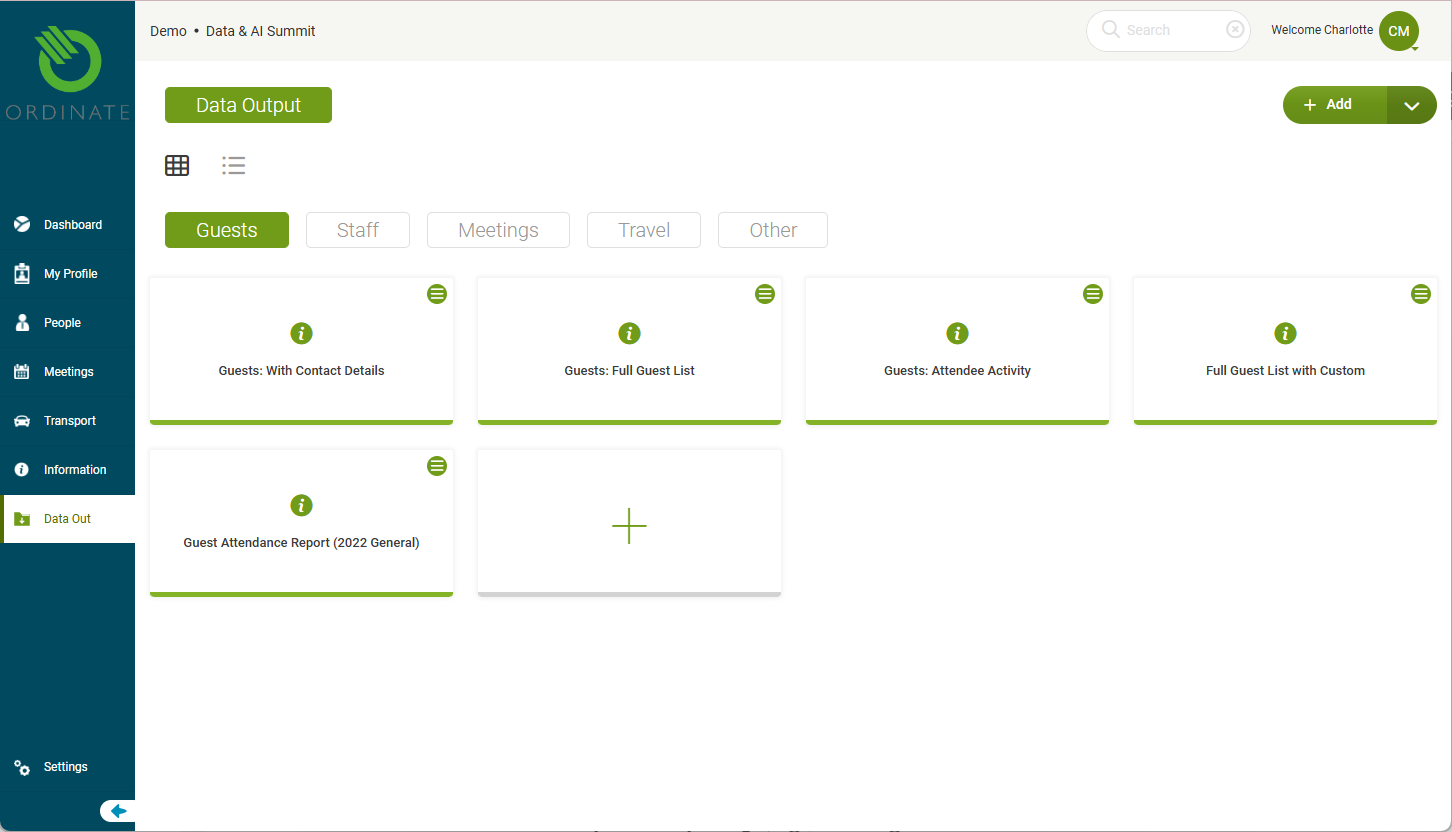
Exporting and Reporting on Accommodation
Ordinate supports accommodation management through reporting tools. Administrators can export a list of all hotel bookings and visualize the number of rooms needed each night. You can also match accommodation details with flight data, helping ensure logistical alignment for arrivals and departures.
This export function allows you to track potential discrepancies, such as mismatched check-in and arrival dates, ensuring smoother coordination with hotels.
(Screenshot placeholder: Hotel reporting tools)