Registering and Attending
In Ordinate, a person can be registered for an event, but they may not necessarily be marked as attending. Understanding the distinction helps manage event participation effectively:
Registration
When someone is registered, they are linked to the event but may not physically attend. For example, an assistant may be registered to assist but not attend. Registration ensures they are part of the event’s system.
Attending
Being marked as attending means the person is expected to be physically present at the event. It unlocks additional features such as travel and logistics tracking, access to meetings, or their personal event schedule.
Ways to Register or Mark Attendance
-
From the People List:\ You can mark someone as registered or attending directly from the People page. Select one or multiple people and apply bulk actions to mark them as registered or attending.
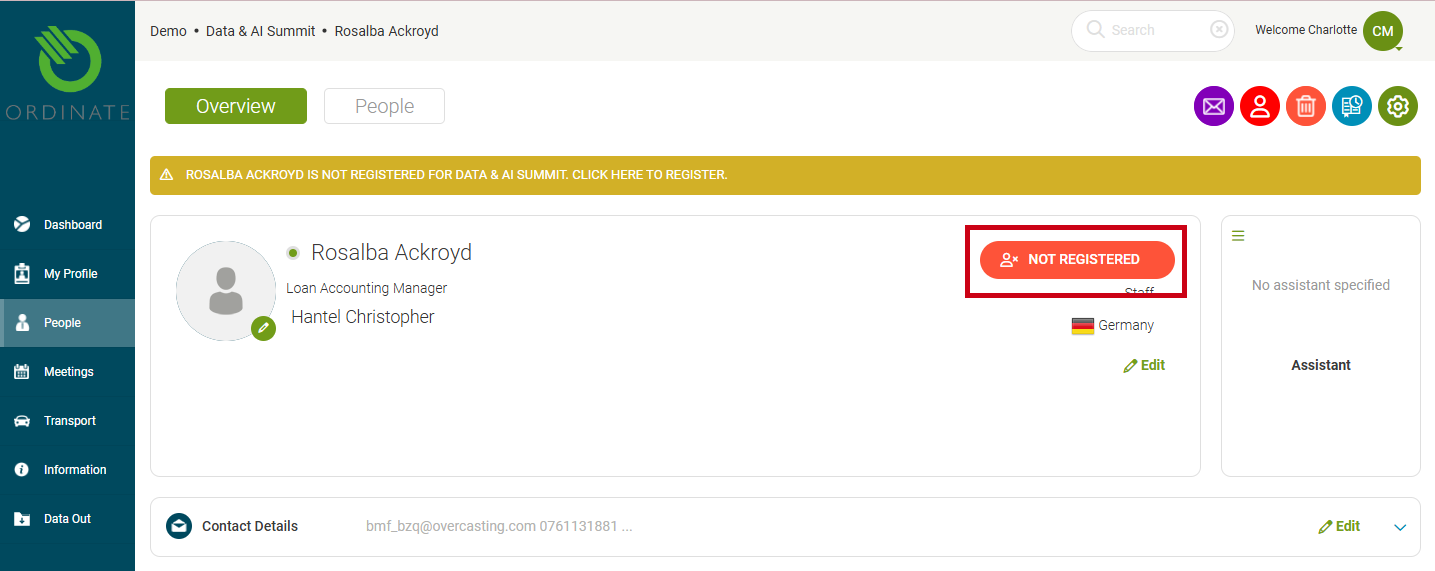
(Screenshot placeholder: Bulk register action) 2. From the Person Profile:\ On an individual’s profile page, you can manage their registration or attendance using the button in the top credentials panel. Clicking the button lets you quickly update their status.
(Screenshot placeholder: Attendance button on profile)
By using these tools, you can effectively manage who is registered and attending your event, ensuring everyone’s status is tracked accurately.
Warning
Please note that people with a User Account may have limited access to events. Being registered or attending an event doesn't automatically grant a user access rights, and this may need to be activated separately. See User Event Permissions for more details.