Personal Profile View
Personal Profile View
The personal profile in Ordinate provides a detailed view of a person’s information. This applies to all types of people (Staff, Guests, and Support), though it is most relevant for staff. The profile contains up to four tabs, depending on permissions and system configuration:
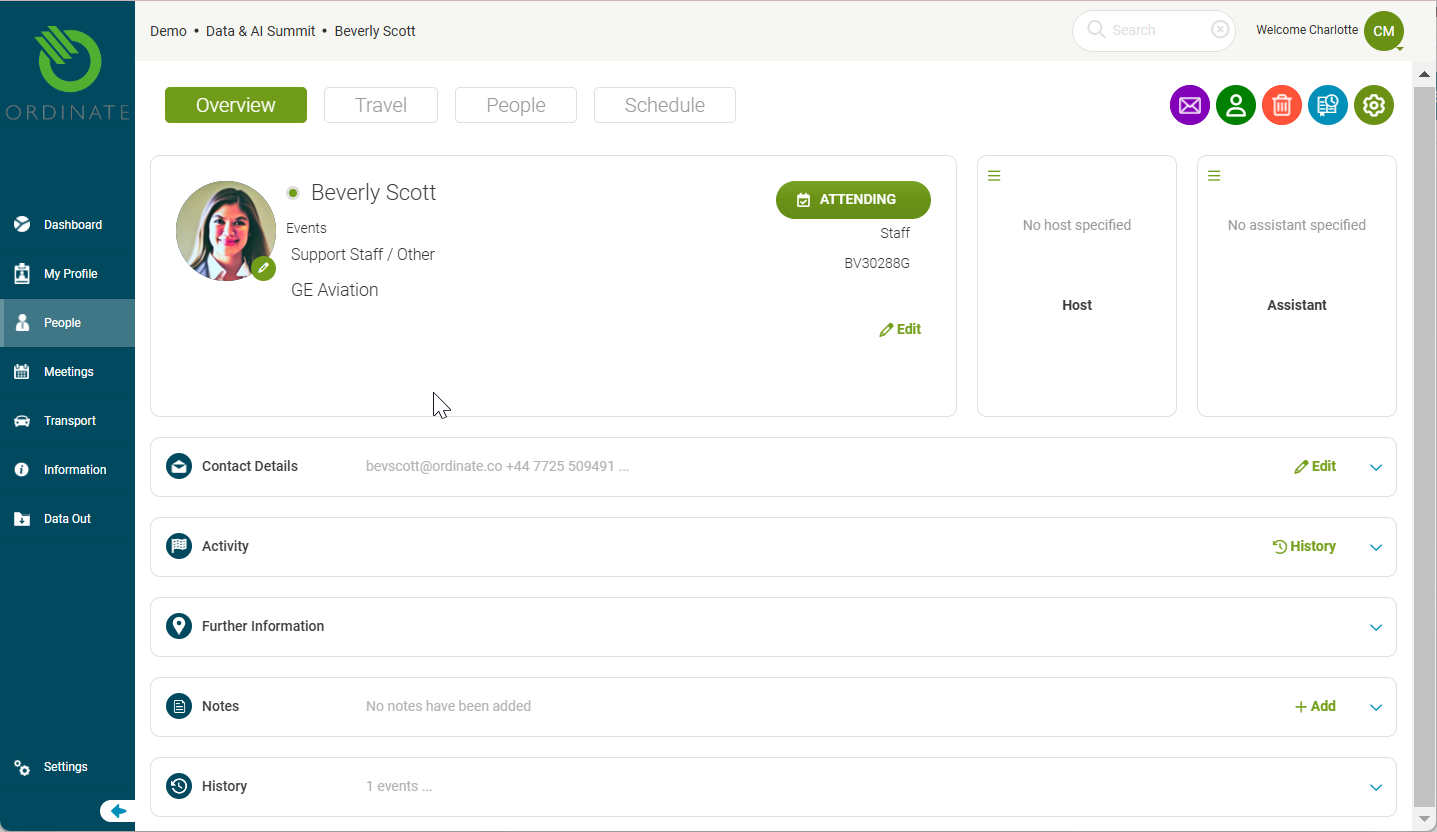
1. Overview Tab
Displays general information, including:
- Credentials and contact details
- On-site activity (e.g., check-ins)
- Notes
- Event history
- Custom fields (configurable)
Toolbar Actions: Options to send a message, print a badge, or flag activity.
(Screenshot placeholder: Overview tab)
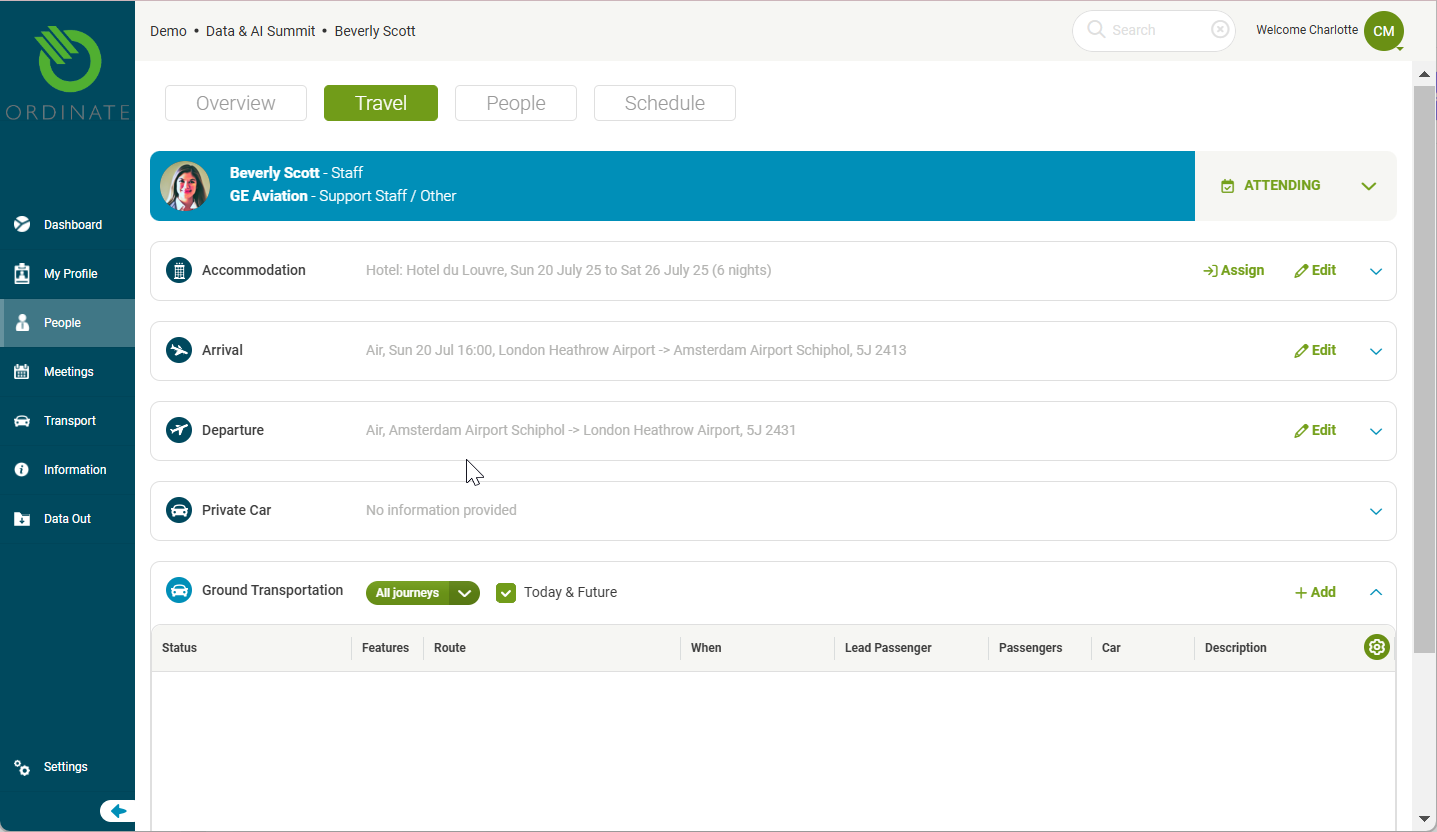
2. Travel Tab
Shows the person’s itinerary, including:
- Hotel bookings
- Flight details
- Ground transportation
This tab is visible only if the person is marked as attending the event.
(Screenshot placeholder: Travel tab)
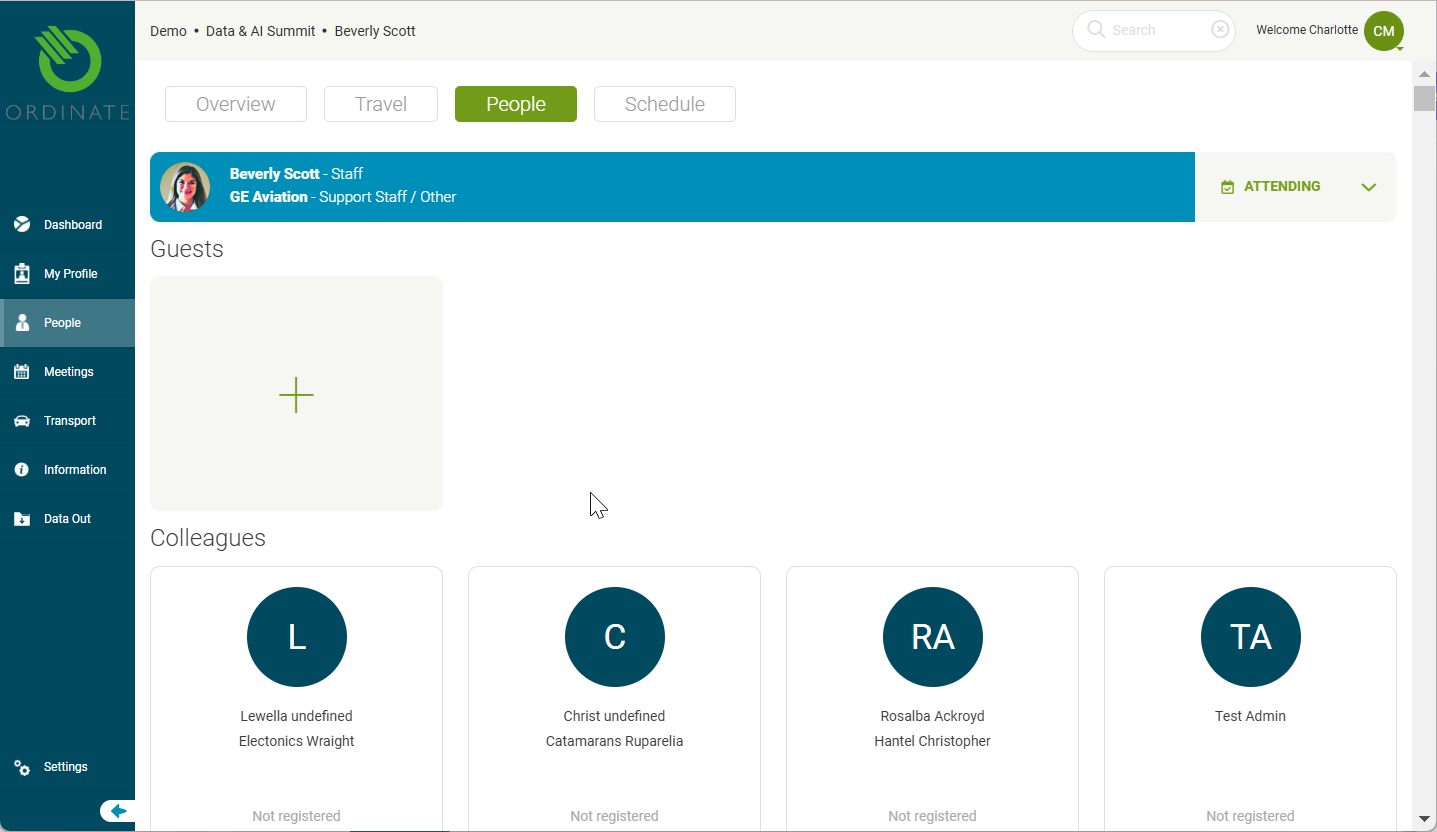
3. People Tab
Lists relevant relationships, such as:
- Departmental colleagues
- Guests they are hosting
(Screenshot placeholder: People tab)
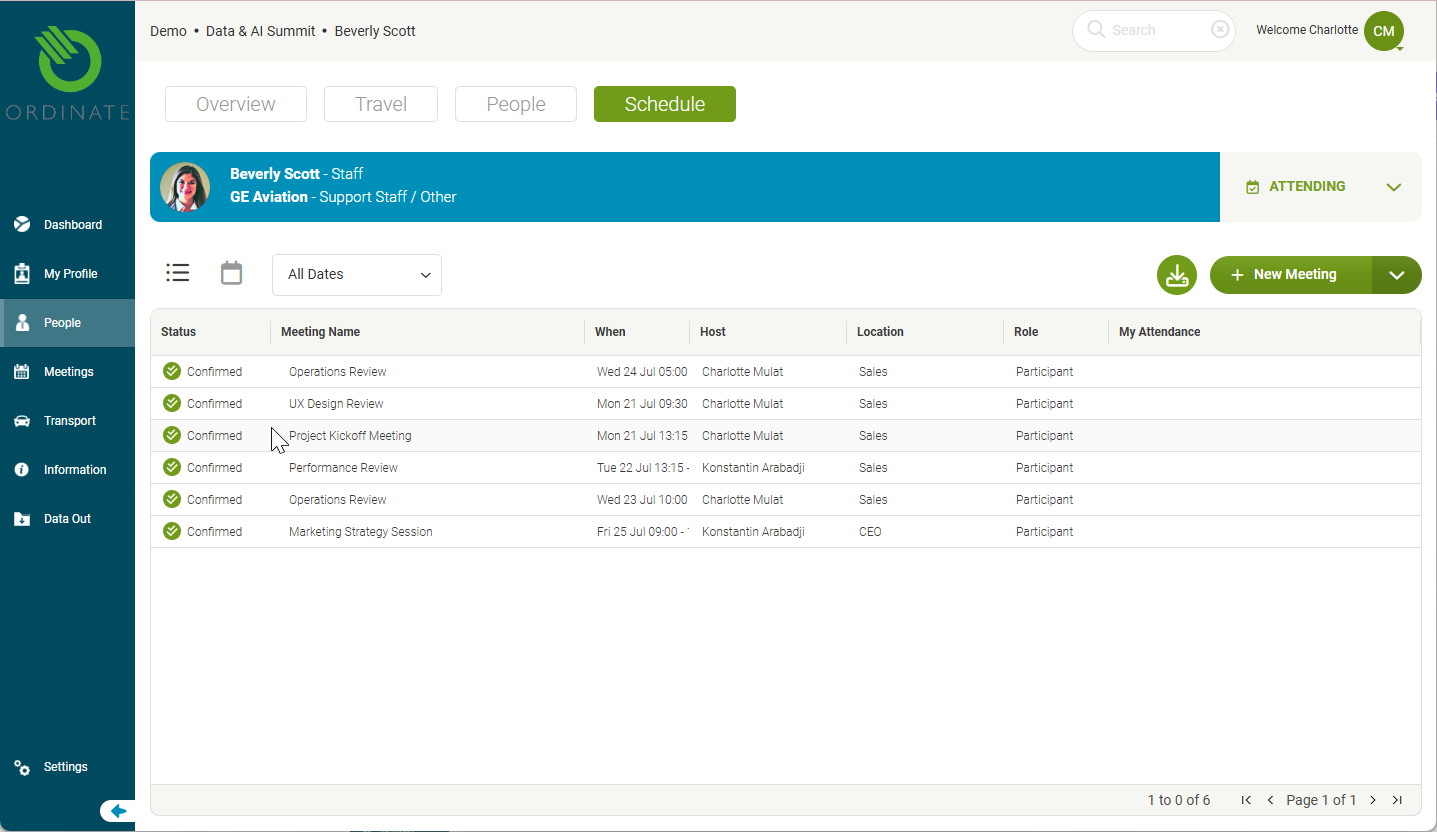
4. Schedule Tab
Shows the person’s personal meeting diary for the event. This is hidden if the person is not attending.
(Screenshot placeholder: Schedule tab)
Permissions and Feature Activation
Many features and tabs are shown based on user permissions and feature availability for each installation of Ordinate.